New in Truck Packer: Drag In Your Flex Pull Sheet, We Read the L x W x H
Drag a Flex (or any rental system) pull sheet onto a pack and Truck Packer maps the columns, parses combined L x W x H dimensions, rolls up contents rows and packs the truck. Live now on Business.


You can now drag a pull sheet straight out of Flex, or pretty much any rental system, onto a pack in Truck Packer. It reads the columns, pulls the dimensions out of whatever format your shop types them in, and puts the cases in the truck. No retyping, no reformatting to our template first. It's live now on Business accounts.
Here's a 40 second video of it: a real Flex pull sheet dragged in and AutoPacked into a 52'.
How it works
Open a pack and drop a spreadsheet on it. CSV and Excel both work. The Universal Manifest Importer reads your header row, guesses which column is which, and shows you a preview before anything lands in the truck. You set the length and weight units up top, fix any column it guessed wrong from the dropdown, and uncheck any rows you don't want. Then import, hit AutoPack, and you've got a load plan.
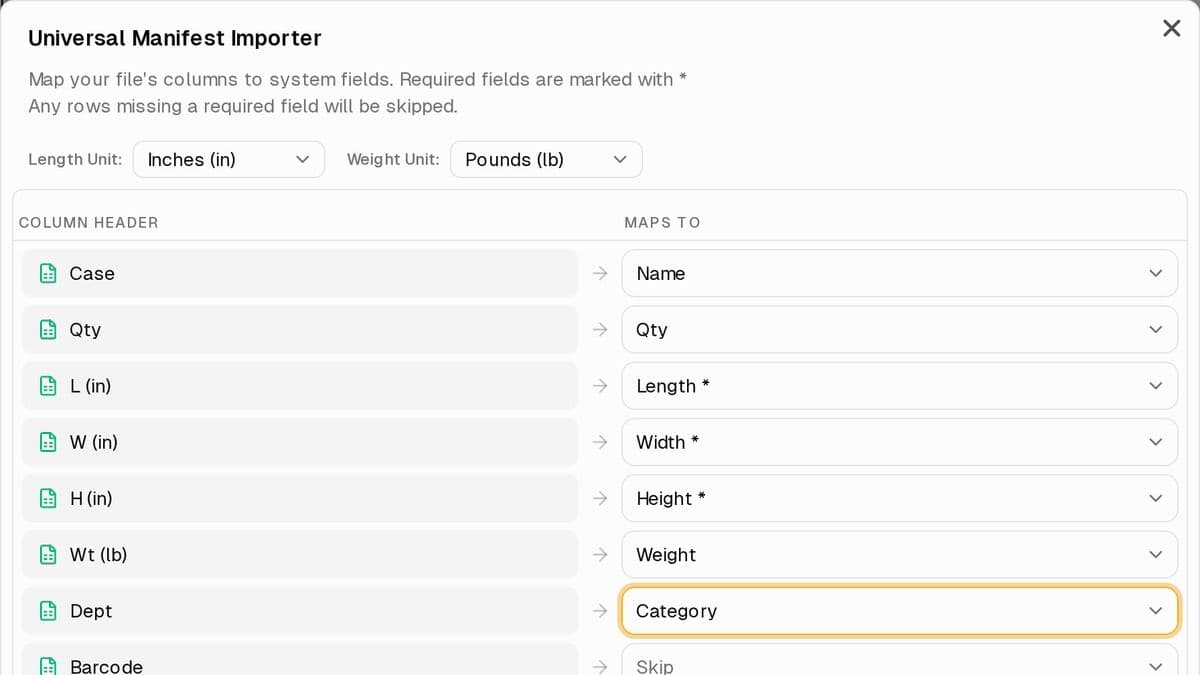
The importer maps each column from your sheet to a field in Truck Packer and shows the rows before you import.
The column matching is loose on purpose, because nobody's export looks the same. "Qty", "Count" and "Pcs" all read as quantity. "Wt", "Wgt" and "Unit Weight" read as weight. "Mfr", "Brand" and "Make" read as manufacturer. If there's no name column but there's a "Description" column, which is how a lot of manifests are laid out, the description becomes the case name. If your names read like "(4) Sub Cabinet", we pull the 4 out as the quantity.
It reads an L x W x H column
This is the part that used to break. A lot of rental software puts all three dimensions in one cell, and every shop types that cell a little differently. The importer handles it.
It finds the column. A header called "Dimensions", "Dims", "Size", "Measurements", "L x W x H" or "LxWxH" gets treated as the combined column. Single letters like L, W and H only count as a whole word, so a "Repl. Cost" column doesn't get mistaken for length just because it has an L in it. If your sheet has separate Length, Width and Height columns as well as a combined one, the separate columns win.
It reads the cell. If the numbers are labeled, it goes by the label, in any order. So 40 W x 60 L x 24 H comes in as 60 long, 40 wide, 24 tall, and a D for depth counts as length. If they aren't labeled, it needs exactly three numbers and reads them as length, width, height. Inch marks, no spaces (24x30x40) and thousands separators (1,219 x 762 x 1,270) are all fine.
It won't guess. A cell with two numbers (48 x 30) or four (Rack 2 - 24 x 30 x 40) gets flagged and skipped so you can fix it, rather than a case showing up in the truck at the wrong size.
It rolls up contents. Plenty of manifests list what's inside a case as indented rows under it. Those don't come in as their own cases. Their weight gets added to the case they ride in.
One thing to watch: the unit comes from the dropdown, not the cell. If your sheet is in inches but one line says 4' x 2' x 3', that case comes in at 4 by 2 by 3 inches. Keep the sheet in one unit and set the dropdown to match.
What it looks like on a real pull sheet
We built a small sound, lights and backline package, typed the way pull sheets actually get typed: 48 x 30 x 50 on the line array carts, 50" x 30" x 30" on the subs, 24x30x40 on the amp racks, 40 W x 60 L x 24 H on the FOH console, 30"W x 48"D x 20"H on the lighting console, and a stage box trunk with two indented cable rows under it. Add moving lights, truss dollies, chain motors, the monitor console, drum risers and a guitar vault and it comes to 27 cases and 8,785 lb.
Dragged in and AutoPacked into a 26' box truck, it uses about 244 of the 312 inches of floor and stays under the 10,000 lb payload. Here's the pack if you want to open it.
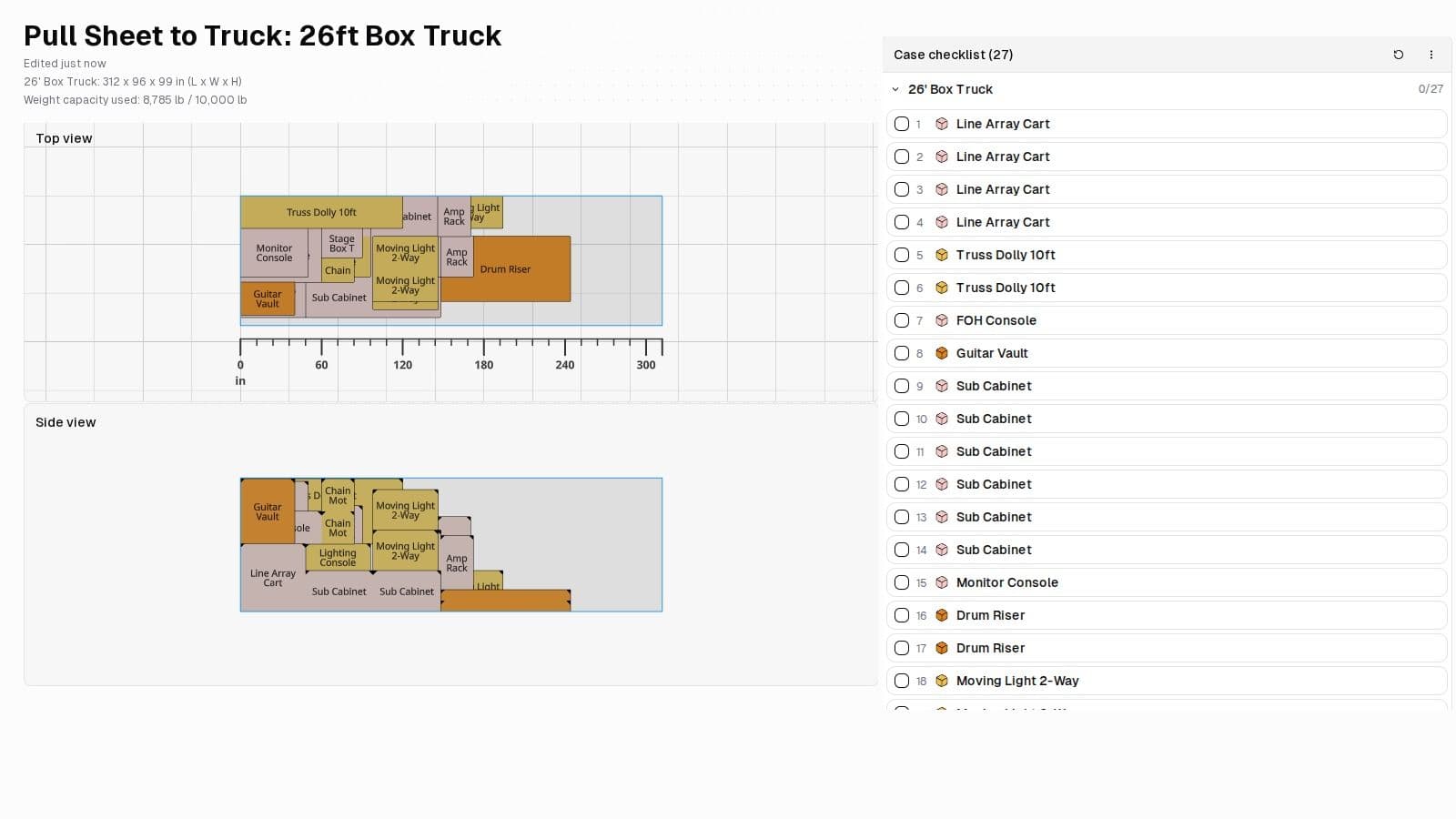
Crew View of the example pack: truck details up top, top and side views, and the checklist in load order.
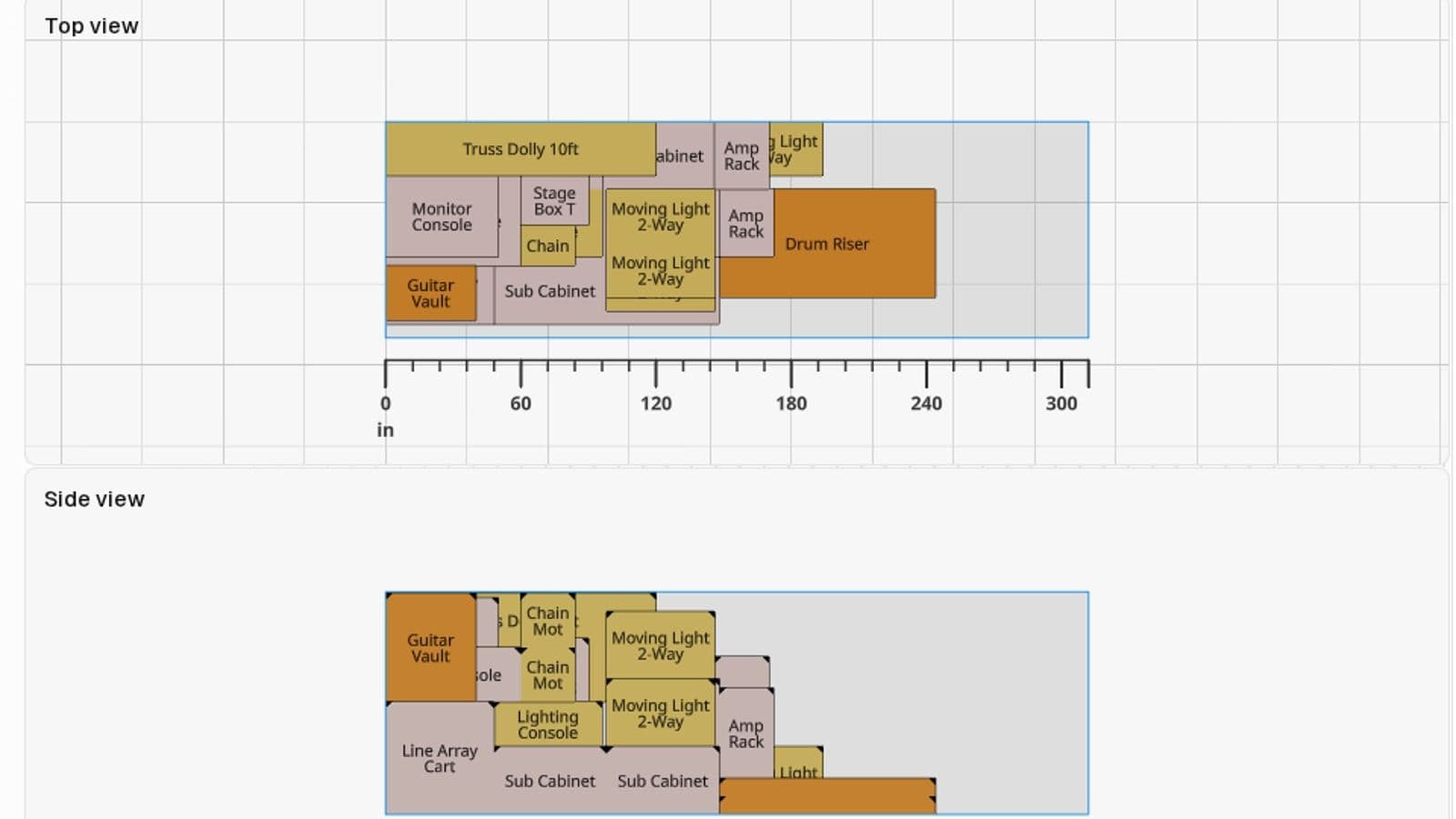
Top and side views. The two drum risers lie flat at the tail with about 68 inches of floor left behind them.
Who gets it
The importer is part of the Business plan, alongside multiple trucks in one pack, a shared team workspace and the API. On Pro or Free you can still bring gear in with the standard Truck Packer CSV template under File, Import Entities. If you drop a sheet in a format the template doesn't cover, the app will tell you it's a Business feature rather than failing quietly.
If you've got a pull sheet that doesn't come in clean, send it to us in the new Truck Packer Discord. Every weird export somebody sends us is how this parser got built, and new builds get posted there first.
Got a pull sheet sitting in your downloads? Log in to Truck Packer and drag it in.

