
Cargo Measure AR
Scan. Measure. Pack.
Without the tape.
Cargo Measure AR is the free iOS companion to Truck Packer. Scan the case, make adjustments, and within seconds you've got measurements ready for your next load plan.
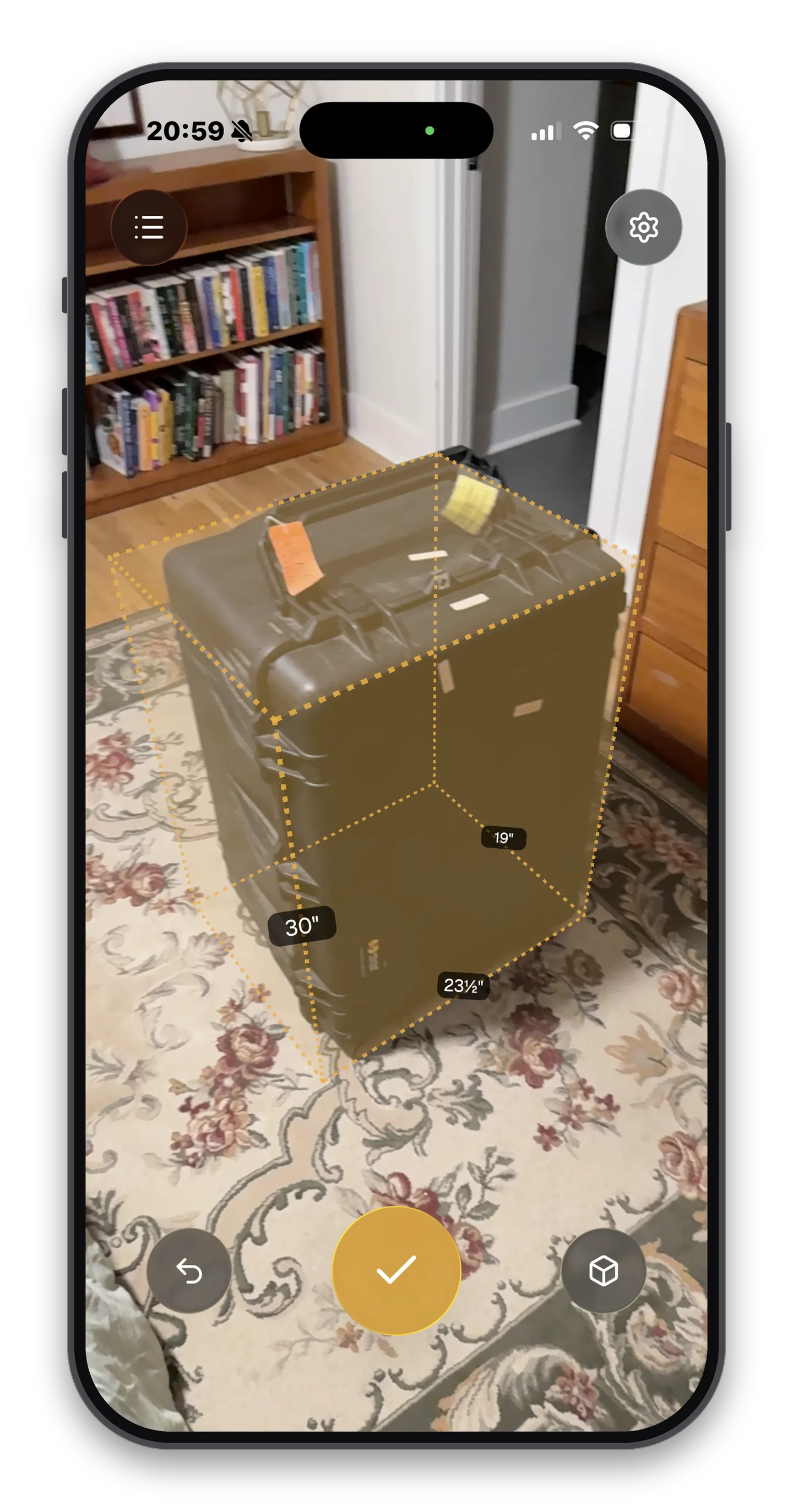
Walk up. Scan. Measured.
- Surface-aligned reticle with haptic snap-to-corner feedback
- Guided placement locks footprint edges to true right angles
- Edge, Rectangle, and Cube modes, cycled with one tap
- Imperial as X′ Y″ (never decimals) or metric in cm / m — your pick
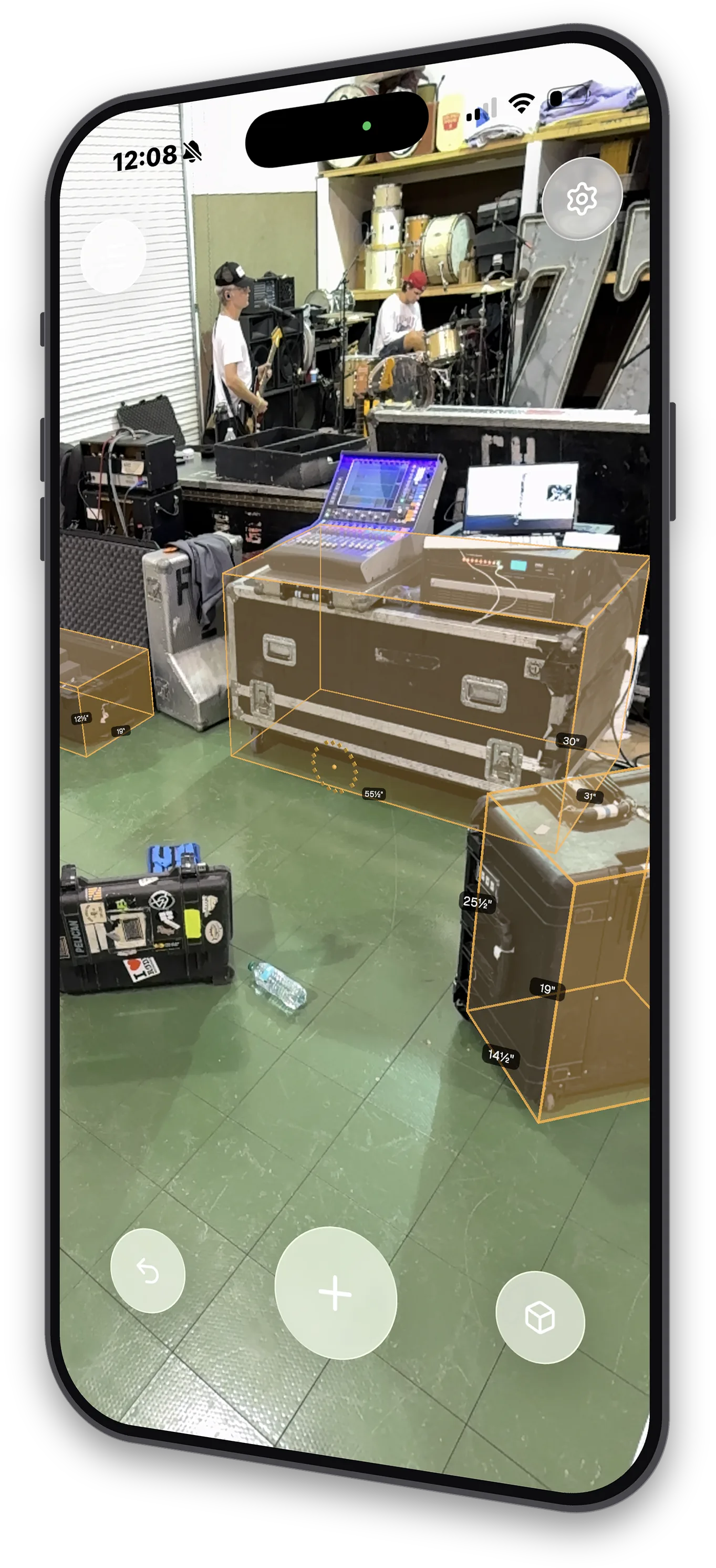
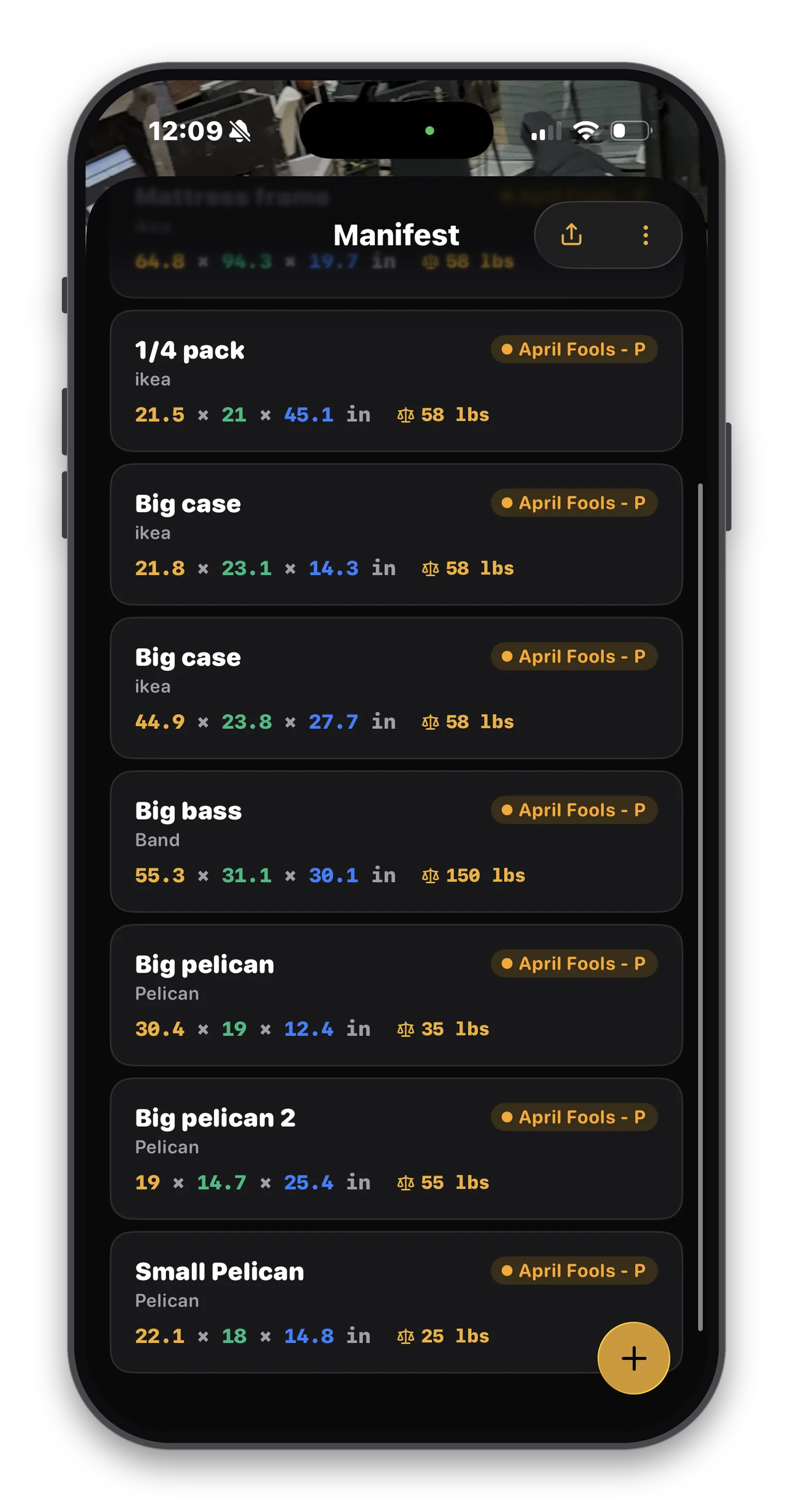
Build a manifest as you walk the floor.
- On-device storage that works fully offline
- Inline edits for dimensions, weight, category, and more
- Smart pre-fill from your last entry for repeat cases
- Swipe to duplicate an item in one gesture
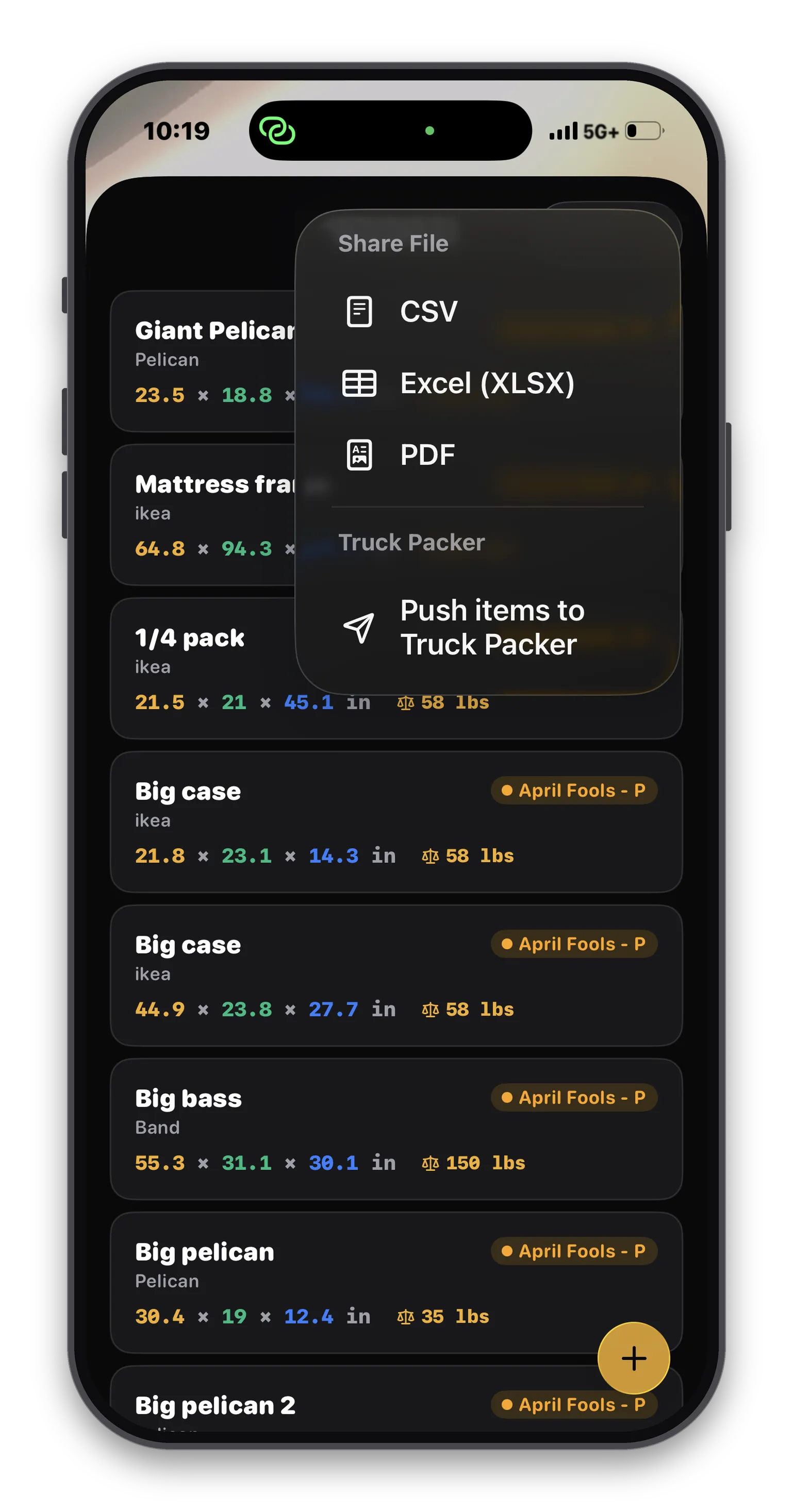
- Export CSV, Excel, or PDF, or push straight to Truck Packer
PDF, Excel, or CSV. Or straight to Truck Packer.
Open the share menu and your manifest leaves the phone however the next person needs it: a unit-aware CSV for spreadsheets, an Excel workbook, or a print-ready PDF for advancing, shared over AirDrop, email, or the Files app. Or skip the file entirely and push every item straight into your Truck Packer case library.
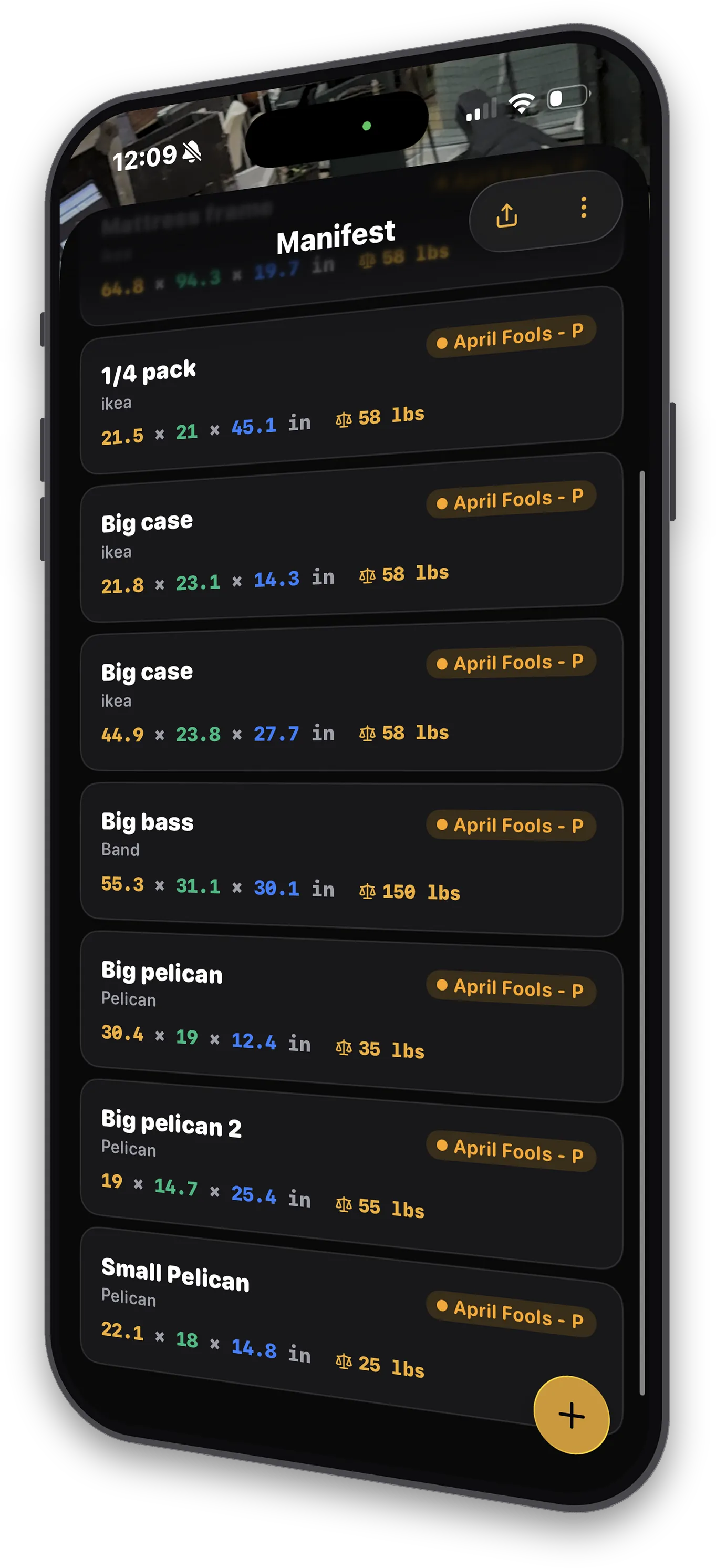
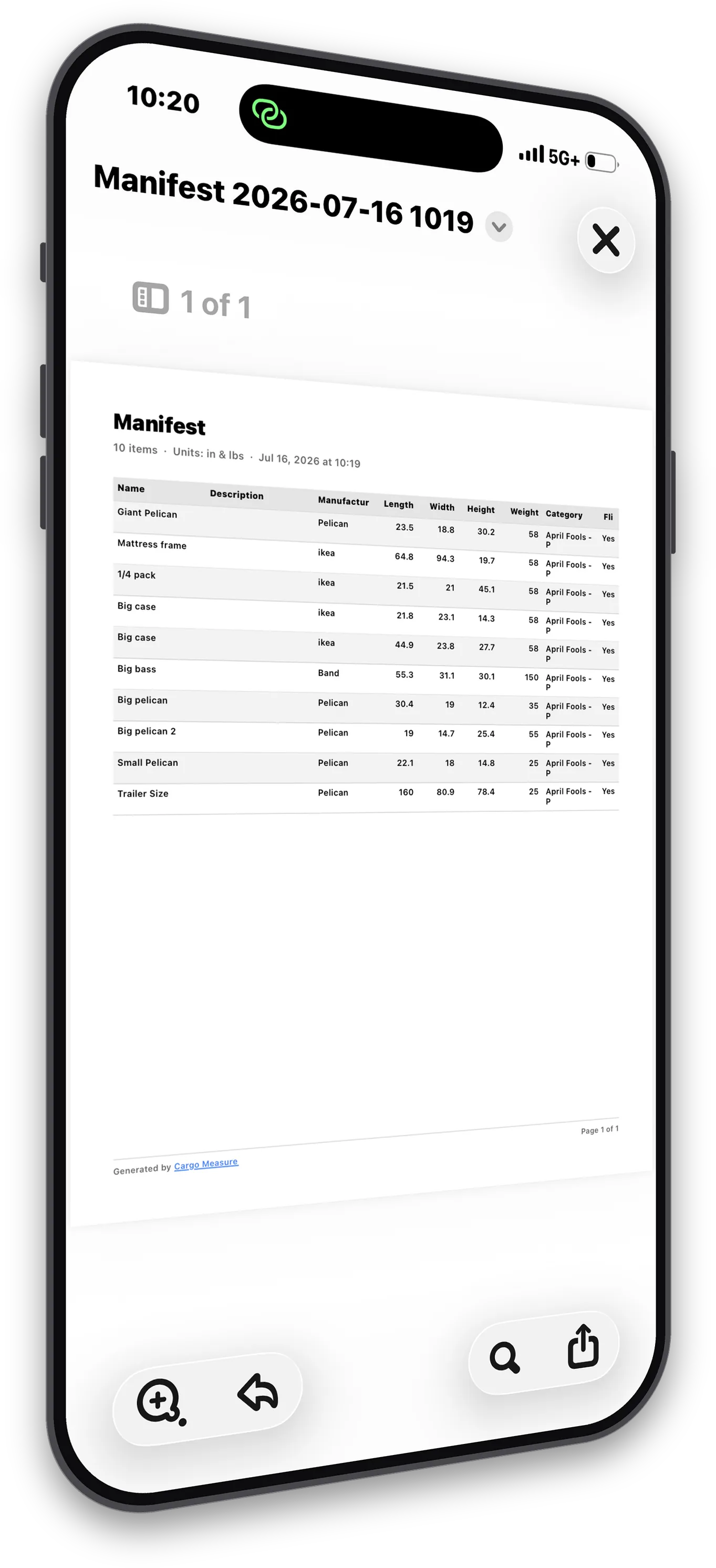
- 1. The manifest you built on the floor
- 2. CSV, Excel, PDF, or push to Truck Packer
- 3. A print-ready PDF in seconds
One tap fills your case library.
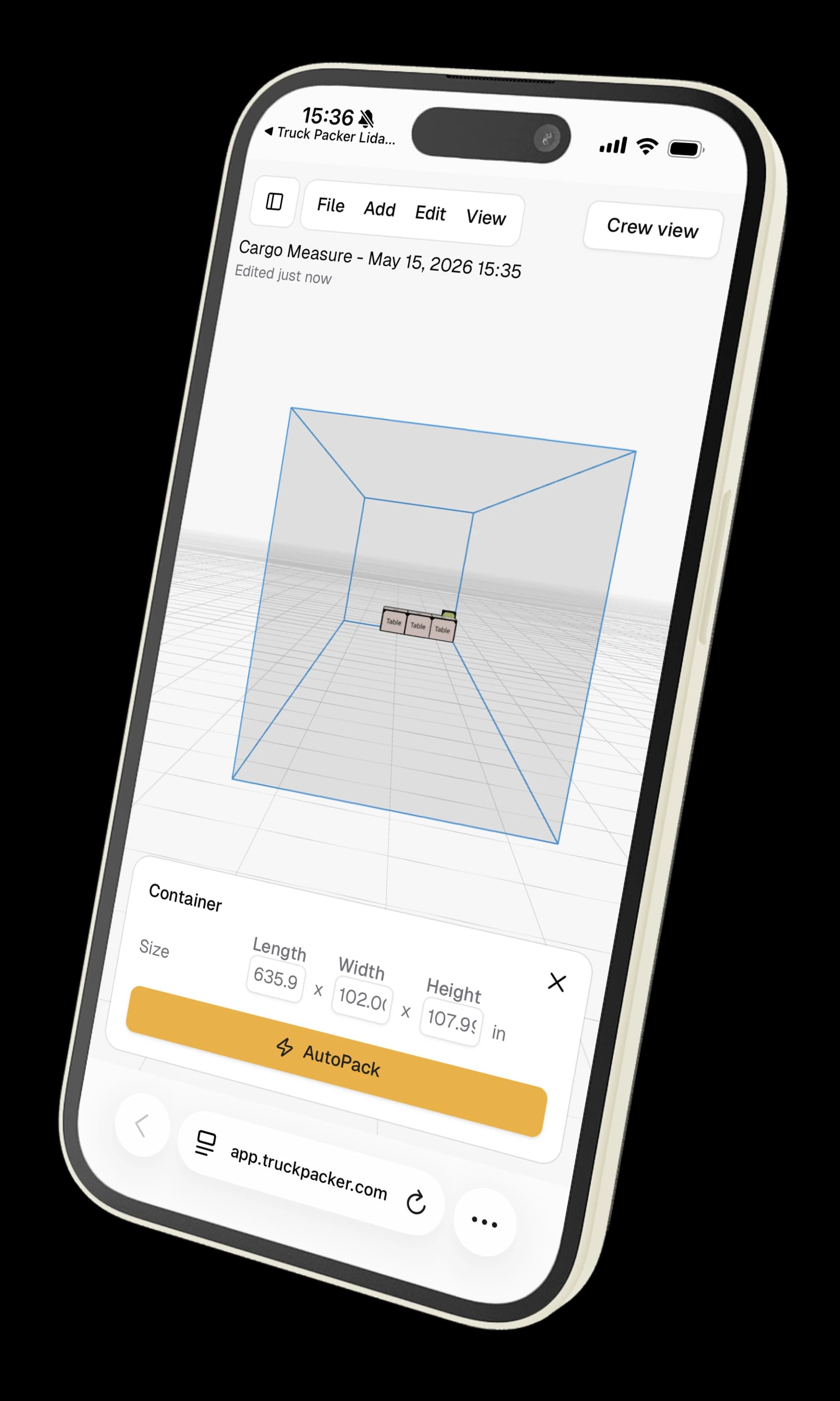
- One-tap push to your Truck Packer case library
- Categories sync live with your organization, colors included
- Multi-organization support with live case and pack counts
- Unit preferences follow your account to truckpacker.com
A tape measure can't give you a 3D model.
Cargo Measure AR uses the LiDAR sensor in iPhone Pro and iPad Pro devices to do what no tape measure or app-only ruler can: actually understand the space in front of you. The app is free; cloud sync connects to your Truck Packer Pro organization.
LiDAR-true accuracy
Apple Measure-style surface alignment on ARKit planes and mesh. The reticle tracks surfaces in real time and snaps to nearby corners with haptic feedback, so you measure what you see.
Built for cases, not curtains
Optimized for rectangular road cases, dollies, and pallets, the geometry your crew actually moves. Guided corner placement locks the second edge to a true right angle, so footprints stay square.
Three measurement modes
Edge for quick point-to-point distances, Rectangle for footprints, and Cube for the full 3D box. Cycle modes with one tap and handle everything from a DI box to a backline trunk.
Syncs with Truck Packer
One tap pushes every case, categories included, into your Truck Packer case library, ready to drop into a load plan on the web. Cloud sync requires a Truck Packer Pro organization.
Offline-first
Scan all day in a venue with no signal. Your manifest lives on the device, and you push it to Truck Packer whenever you are back online.
CSV, Excel, and PDF exports
Send the manifest anywhere: unit-aware CSV for spreadsheets, an Excel workbook, or a print-ready PDF, shared via AirDrop, email, or the Files app.
Metric and imperial, your call
Switch the whole app between inches/feet and centimetres/metres at any time. Existing measurements re-render in the new unit automatically, and your preference follows your Truck Packer account across devices.
Anywhere gear needs to fit.
Touring production
Audio, video, lighting, and staging crews. Pre-tour case inventories without dragging a tape measure across the shop floor.
AV rental warehouses
New gear in the door? Scan once at the door, push to Truck Packer, never re-measure again.
Theatrical productions
Build case inventories from the venue floor between load-in and doors, no tape measure required.
Freight & logistics
Capture irregular freight on the dock and ship with confidence. Export PDF, CSV, and Excel manifests.
Four steps from gear to truck.
Point the camera
Aim at any rectangular object. The reticle aligns to the surface using LiDAR depth.
Scan the case
Capture the footprint with guided placement that locks edges to a true right angle.
Make adjustments
A live 3D box previews your case. Fine-tune until it matches, and it is measured.
Save and sync
Name it, tag it, push it to Truck Packer with one tap.
Be first on TestFlight.
Cargo Measure AR is in beta on TestFlight. Tap the button, install the build, and you'll be scanning cases in a couple of minutes.
What is LiDAR-based cargo measurement?
LiDAR (Light Detection and Ranging) is a depth sensor built into iPhone Pro and iPad Pro models since 2020. It emits invisible infrared light, measures how long the light takes to return from surfaces, and builds a dense depth map of the room in front of you. Cargo Measure reads that depth map several times per second and uses it to align a 3D reticle to real-world surfaces, the same approach Apple's Measure app uses, but tuned for the geometry of road cases, pallets, and shipping freight. The result is an accurate 3D measurement you can take in seconds, without unrolling a tape or eyeballing dimensions on a vendor spec sheet.
Why crews replace tape measures with LiDAR scanning
A tape measure gives you three numbers. A LiDAR scanner gives you a saved 3D object with a name, manufacturer, category, weight, and flippable flag, and a direct path into your load planning workflow. That difference matters when a tour rolls into a venue with 80+ cases and no two crew members agree on what fits where. With Cargo Measure AR, anyone holding an iPhone Pro can measure a case in seconds and the data is ready for Truck Packer to lay out a trailer. No re-keying. No misread digits. No measuring twice because the first person forgot to write it down.
How it integrates with Truck Packer
Cargo Measure AR is a free download, and cloud sync connects to your Truck Packer Pro organization. Sign in with the same credentials you use on truckpacker.com, measure your cases throughout the day, building a local manifest on your device. When you're ready, tap Push cases to Truck Packer and the app creates every item in your shared case library, mapping categories automatically and creating any that are missing. From there, every case is ready to drop into a load plan on the web, and your unit preferences stay in sync between the app and your account.

