How to Prevent Cargo Damage During Transport: A Load Planning Guide
You definitely don't want your load shifting with your next truck movement. Here's some guidelines you should be following.

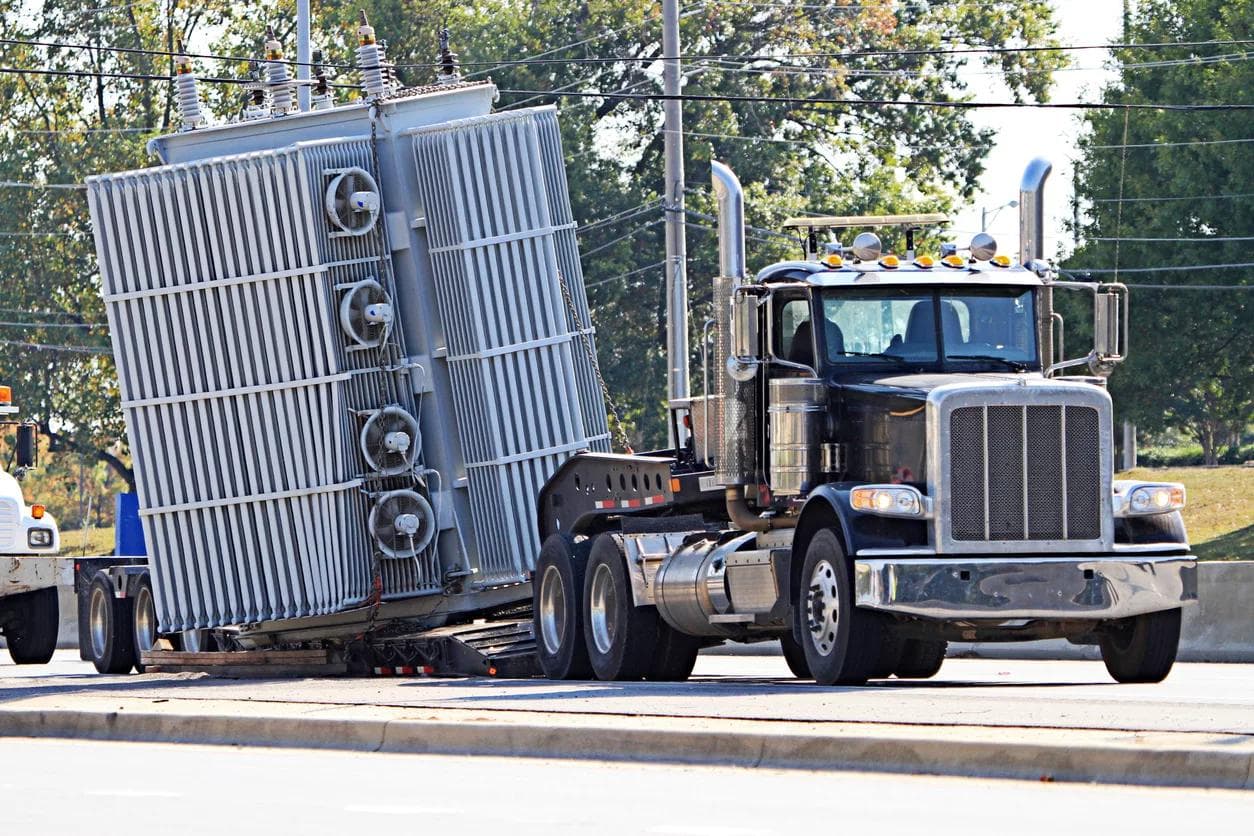
You've invested thousands—maybe hundreds of thousands—in equipment, inventory, or client goods. You've hired experienced drivers, rented reliable trucks, and purchased comprehensive insurance. Everything is loaded and ready to go.
Three hundred miles later, you open the truck doors to find your worst nightmare: cracked screens, dented cases, broken glass. The truck never hit anything. There was no accident. The damage happened because cargo shifted during normal driving.
This scenario plays out thousands of times every day across the logistics industry. According to cargo claims data, improper loading and securing causes more damage than traffic accidents, theft, and weather combined. The frustrating part? Nearly all of it is completely preventable.
The difference between cargo that arrives pristine and cargo that arrives damaged isn't luck—it's load planning. This guide will show you exactly how professional logistics managers prevent damage through strategic planning, proper securing techniques, and understanding the physics of transport.
The True Cost of Cargo Damage
Before we dive into prevention, let's talk about what's really at stake. Cargo damage costs far more than the immediate repair or replacement expense.
Direct Costs
The obvious costs hit immediately. You're looking at repair bills for damaged equipment, replacement costs for items beyond repair, and insurance deductibles that can run into thousands. Even with comprehensive coverage, most policies carry deductibles of $1,000 to $5,000 per incident.
Then there's the expedited shipping cost to get replacement items to your destination on time. Need that damaged lighting fixture replaced before tomorrow's show? Overnight shipping on a 200-pound road case can easily cost $800-1,200. And if your insurance claim gets disputed—which happens when proper securing can't be documented—you're covering everything out of pocket.
Industry data shows the average cargo damage claim runs $4,200 for commercial shipments. For specialized equipment in touring, film production, or trade shows, individual damage incidents routinely exceed $20,000.
Indirect Costs (Often Bigger)
The hidden costs often dwarf the direct expenses. Production delays can cascade into massive financial impact. A touring show that can't go on because damaged audio gear hasn't been replaced generates losses from:
- Cancelled performance revenue (typically $50,000-200,000 per show for mid-size tours)
- Venue penalties and contractual obligations
- Disappointed ticket holders and reputation damage
- Crew and talent still being paid despite no show
Lost client trust represents another major cost. In industries built on relationships and reputation—touring, event production, trade shows, corporate relocations—word travels fast. One damaged shipment can cost you future business worth tens or hundreds of thousands in revenue.
Then there's the administrative burden. Staff time processing insurance claims, coordinating repairs, managing logistics for replacements, and communicating with affected clients can consume dozens of hours. At typical labor costs, this alone can add $2,000-5,000 to the incident cost.
A Real-World Example
A mid-size touring production was transporting $180,000 in lighting equipment across the country. The load was packed quickly—they'd done this route dozens of times—and visual inspection showed everything looked secure.
During an aggressive merge onto the highway, several improperly secured lighting fixtures shifted. One LED panel stack tipped, impacting a road case containing the lighting console. The console's touch screen shattered, and three LED panels suffered damaged housings and cracked lenses.
Direct damage: $23,000 in equipment repairs and replacements.
But the real cost was the cascading failure. The tour had to:
- Rent replacement console and fixtures for the next show ($4,500)
- Pay expedited shipping to get rentals to venue on time ($1,800)
- Delay load-in by four hours while waiting for replacements (venue penalties: $3,000)
- Reduce lighting complexity for that show (impacting production value)
- Deal with insurance claims for six weeks (administrative cost: ~$3,000 in staff time)
Total cost from improper load planning: Over $35,000. The time investment to properly plan that load? About 45 minutes.
The Physics of Cargo Damage: What Actually Happens in Transit
Understanding how cargo gets damaged requires understanding the forces acting on it during transport. Items don't randomly break—they respond to predictable physical forces that you can plan around.
Acceleration and Deceleration
Every time a truck speeds up or slows down, cargo experiences forces trying to move it. During normal braking, cargo can experience forces of 0.3-0.5 G (meaning a 100-pound item feels like 130-150 pounds pushing forward). Emergency braking can generate 0.8-1.0 G forces—that same 100-pound item now exerts 180-200 pounds of forward force.
Here's what this looks like in practice: An unsecured speaker cabinet weighing 120 pounds sits in the middle of the truck bed. The driver brakes hard to avoid a merge conflict. That speaker generates 180-220 pounds of forward force, sliding six feet forward until it slams into a road case or the truck wall. The impact cracks the speaker housing and damages whatever it hit.
The most dangerous moment? Stops are far more common than most people realize. In urban delivery scenarios, trucks might make 30-50 stops per route. Highway driving includes toll stops, traffic slowdowns, and unexpected braking. Each stop is an opportunity for unsecured cargo to shift forward.
Lateral Movement (Turns)
Highway on-ramps, off-ramps, and lane changes create sideways forces. These lateral forces are particularly dangerous because items don't just slide—they tip.
Consider a tall, narrow road case standing upright. It's relatively stable when forces are front-to-back because its footprint is wide in that direction. But during a turn, lateral forces push against the tall side. The case becomes a lever, with force applied at the top trying to rotate it around its base point. Without proper securing or strategic placement against a wall, it tips.
When that road case tips, it doesn't fall in slow motion. It accelerates as it falls, potentially traveling 3-4 feet before impacting the truck floor, wall, or adjacent cargo. A 150-pound case falling 4 feet generates massive impact force—enough to shatter contents, damage the case itself, and destroy whatever it lands on.
Vertical Movement (Bumps and Potholes)
Road irregularities create up-and-down forces that have two damaging effects: immediate impact and cumulative stress.
The immediate impact is obvious. Hit a significant pothole and stacked items can bounce, potentially becoming airborne for a fraction of a second. When they land, the impact compresses whatever is beneath them. This is how you get crushed boxes, cracked plastic cases, and damaged electronics even though nothing visibly shifted.
The cumulative stress is more insidious. Hours of continuous vibration and small bounces cause gradual degradation. Screws loosen, connections separate, stacked items gradually settle and compress. Most dangerously, vibration can cause improperly secured items to "walk" across the truck bed—moving in tiny increments that add up over hundreds of miles.
A lighting technician once told me about finding a road case that had traveled 8 feet from its loaded position during a 600-mile trip. It hadn't been thrown by a sudden impact—it had vibrated and bounced its way across the truck bed over 10 hours of driving. By the time they discovered it, it had damaged three other cases it had contacted along its journey.
Vibration and Resonance
Even on smooth highways, trucks vibrate continuously. Engine vibration, road surface texture, tire resonance—these create constant oscillation transmitted through the truck bed to your cargo.
This matters enormously for electronics, which contain components sensitive to vibration. Circuit boards can develop micro-cracks from sustained vibration. Connections can loosen. In extreme cases, components can actually break free from their mounts.
It also matters for any connection point in your load. Ratchet straps loosen. Stacked items settle. Gaps open up where there were none. This is why loads that seemed perfectly tight at departure can have visible gaps and loosened straps after several hours of driving.
The Critical Insight
Here's what every logistics professional knows: Cargo doesn't need to shift dramatically to cause damage. A two-inch shift, repeated hundreds of times during a long haul, can be catastrophic. A slight rotation that causes a corner to dig into adjacent cargo creates pressure points that crack cases or damage contents.
This is why load planning isn't just about fitting everything in the truck. It's about ensuring nothing can move at all—not forward, not sideways, not up-and-down, not even an inch. Because that inch, multiplied by hours of transit and multiple force events, becomes the difference between cargo that arrives pristine and cargo that arrives damaged.
The 7 Principles of Damage-Free Load Planning
Principle 1: Weight Distribution is Non-Negotiable
Improper weight distribution doesn't just risk cargo damage—it risks accidents that can kill people. This is the one load planning principle where getting it wrong can have catastrophic consequences beyond your cargo.
Why it matters: A truck with too much weight in the rear loses steering responsiveness. The front tires have insufficient weight pressing down to maintain traction during turns or emergency maneuvers. Drivers report the sensation of "floating" or the steering feeling "light and vague."
A truck with too much weight on one side can tip during turns, especially on highway ramps with banking. Commercial truck rollover accidents kill dozens of people annually, and improper load distribution is a leading contributing factor.
Too much weight positioned high in the cargo area raises the center of gravity. Physics dictates that higher centers of gravity are less stable. What feels fine during straight highway driving becomes dangerous during sharp turns or emergency maneuvers.
The 60/40 rule: Professional logistics managers target 60% of total cargo weight in the front half of the cargo area, 40% in the rear half. This creates slight forward weight bias that improves steering response and braking performance.
Within that framework, the heaviest individual items should be positioned over or slightly forward of the rear axle. This is typically near the center of the cargo area in most trucks. Think of the axle as the truck's balance point—weight positioned here affects handling least.
Left-to-right weight distribution should be as balanced as possible. If you have one extremely heavy item, try to offset it with moderate-weight items on the opposite side. A truck listing noticeably to one side is dangerous and likely illegal (states enforce weight distribution requirements).
How to plan for this: Know your item weights before loading day. Don't guess. Touring production companies weigh every road case and maintain detailed manifests. Moving companies should weigh major furniture pieces. If you're shipping products, consult spec sheets for accurate weights.
Use a scale. Industrial shipping scales cost $200-400 and are essential for professional operations. Even a bathroom scale works for smaller items. Guessing that a case "feels like maybe 80 pounds" when it actually weighs 130 can throw off your entire weight distribution plan.
Position heavy items first, then build lighter items around them. This is the opposite of how many people instinctively load (starting from the front, working back, loading whatever fits next). Start by placing your heaviest items in their optimal positions for weight distribution, then fit everything else around them.
Three-dimensional load planning software calculates weight distribution automatically. TruckPacker shows you the percentage of weight in front vs. rear and warns if distribution is unsafe. This catches problems during planning rather than discovering them when the truck is already loaded.
Common mistakes:
Loading all heavy items in the back "because we're loading front-to-back" is dangerous and illegal in many jurisdictions. It causes rear weight bias that reduces steering control and increases rear tire wear (and potential blowout risk).
Putting all weight on one side "because that's where it fit" creates tipping risk. If adjacent items shift or settle during transit, that weight becomes even more unbalanced.
Not accounting for consumables: If you're carrying a full fuel tank (potentially 50-100 gallons = 300-600 pounds), that weight is in the rear. As fuel is consumed during the trip, weight shifts forward. Plan your cargo weight distribution accounting for this change.
Principle 2: Create a Tight, Immobile Load
The golden rule: If it can move, it will move. If it moves, it will damage something—itself, adjacent cargo, or both.
Even a one-inch gap between items is an invitation for disaster. Here's why: When the truck brakes, items try to move forward. If there's a gap, they accelerate across that gap, building momentum. When they impact the next item, it's not a gentle nudge—it's a collision with real force behind it.
A 60-pound road case moving one inch doesn't sound dangerous. But that case is moving because the truck decelerated, which means it's experiencing 0.3-0.5 G forces. It's not just sliding lazily—it's being thrown forward with 20-30 pounds of force. When it slams into the next item after accelerating across that one-inch gap, the impact is significant.
Multiply this by hundreds of stops during a long trip. Each stop, items slam into each other. Each impact, a little more damage accumulates. By journey's end, cases have dents, corners are cracked, contents have been subjected to repeated shocks.
How to eliminate movement: Pack items tightly together with literally zero gaps. When I say zero, I mean you should not be able to fit your hand between items. They should be in direct contact with each other.
Use load bars and ratchet straps to create compression zones. A load bar extends across the truck width, pressing against items and preventing forward/backward movement. Position load bars every 4-6 feet along the truck length to create secure zones.
Ratchet straps pull items toward walls or down toward the floor, creating additional securing force. Each critical item—especially heavy or fragile pieces—should have dedicated strap securing.
Fill unavoidable small gaps with soft items. Moving blankets, foam padding, bags of soft goods (clothing, linens, etc.) can fill irregular spaces. But don't rely on soft items as primary securing—they compress over time and with vibration.
The "push test": Before final securing, physically push hard on your loaded items. Put your weight into it. If anything shifts more than half an inch, it's not tight enough. Repack to eliminate those gaps.
This seems excessive until you consider that road forces are far stronger than your push. If you can shift it with a hard shove, highway driving will definitely shift it.
Load securing hierarchy:
First and most important: Tight packing with items wedged directly against each other. Items should support and brace each other. This is your primary line of defense against movement.
Second: Load bars creating compression zones. These prevent gross movement (items sliding several feet) and maintain the tight packing even as items settle during transit.
Third: Ratchet straps on individual critical items. These provide redundant securing for expensive or fragile pieces. If something shifts in transit, straps are your backup.
Fourth: Cargo nets for final containment. These work well for top layers where individual strapping isn't practical. Nets prevent items from bouncing up or shifting position, even if they're not under compression.
Principle 3: Heavy on Bottom, Light on Top (Always)
This principle is so fundamental that violating it almost guarantees damage. Yet time pressure and convenience frequently lead people to compromise on this rule—always with regret.
Basic physics: Objects with low centers of gravity are stable. Stack weight high, and you raise the center of gravity, making everything unstable and prone to tipping.
Additionally, heavy items exert force on whatever is beneath them. That force increases during bumps and vibration. Place a 100-pound speaker on top of a 20-pound lighting console, and every bump sends 100+ pounds of force crushing down on that console.
Vertical stacking rules:
Bottom layer (floor): Your heaviest, most durable items go here. Road cases designed to be stacked, crated equipment, appliances, heavy furniture with solid construction. These items should be able to support significant weight on top without damage.
Middle layer: Medium-weight items. Lighter road cases, boxes of moderate weight, equipment that's durable but not designed for heavy stacking.
Top layer: Lightest and bulkiest items. Soft goods, empty cases, lightweight boxes, items with awkward shapes that don't stack well underneath anything.
The absolute rule: Never place fragile items beneath heavy items. This sounds obvious, yet in the rush of loading, it happens constantly. "We need to fit this heavy amp somewhere, and there's space on top of those boxes." Don't. Those boxes contain monitors or electronics or something that will crack under that weight.
Exceptions to consider:
Sometimes a fragile item, even if relatively light, can't have any weight on top of it. A piece of delicate audio equipment with exposed knobs, a monitor with a vulnerable screen facing up, artwork in a frame—these need to be floor-loaded even though they're not heavy.
In these cases, position the item where cargo can't shift into it. Against a wall is ideal. Surrounded by lightweight items that won't cause damage even if they do shift. Never in the middle of the load where it could be impacted from multiple directions.
Real-world example:
Bad approach: Heavy speaker cabinet (90 pounds) stacked on top of a lighting console in a road case (40 pounds). Seems fine—the road case is sturdy. Over 300 miles of highway vibration and bumps, the speaker's weight causes the road case to flex repeatedly. The console's touch screen cracks from the sustained pressure and vibration. Damage: $3,200 console screen replacement.
Good approach: Lighting console road case on floor, positioned against truck wall. Medium-weight road cases stacked on top. Speaker cabinet in separate floor position with appropriate stacking above it. Everything arrives intact.
The time difference between loading it right vs. loading it wrong? Maybe two minutes. The cost difference? $3,200.
Principle 4: Protect Fragile Items with Strategic Placement
Every load has items that absolutely cannot be damaged. Electronics, glass, irreplaceable client goods, equipment required for tomorrow's show. These items don't just need padding—they need strategic positioning that minimizes risk.
Where fragile items go:
Against truck walls: The wall provides a stable, immobile barrier. Items secured to the wall can't be impacted from that direction. This eliminates 25-50% of potential impact angles immediately.
In corners: Even better than a wall is a corner, where two walls meet. Now you have protection from two directions. Corners are the most secure positions in a truck.
Surrounded by soft items: Create buffers using moving blankets, foam, soft cases, bags of linens or clothing. Think of these as crumple zones—if anything does shift, it encounters soft material first, not hard cargo.
Never in the middle: The middle of the load is the most vulnerable position. Items can be impacted from every direction. There's no wall support. Shifting cargo from any direction threatens middle-positioned items.
Never near the door: The door area is the first impact zone in a rear-end collision. It's also where items are most likely to be jostled during loading/unloading. Keep fragile items buried deeper in the load.
Creating crush zones:
Deliberately position compressible, durable items as buffers around fragile gear. Road cases (empty or containing durable items) make excellent buffers. Soft goods like wardrobe, curtains, linens provide excellent padding.
In touring production, lighting boards are often surrounded by heavy-duty road cases containing cables or soft goods. The road cases can handle impacts that would destroy the lighting board. This creates layers of protection.
Think of it like crumple zones in car design. Cars deliberately include areas designed to compress and absorb impact, protecting the passenger compartment. Your load should have similar sacrificial buffer zones protecting critical items.
Fragile item categories:
Electronics: Mixing boards, lighting controllers, computers, servers, any equipment with circuit boards or displays. These need protection from impacts, vibration, and often temperature extremes.
Glass and screens: Monitors, TVs, mirrors, picture frames, any glass panels. These need protection from even minor impacts and should never have weight stacked on top.
Delicate instruments: Musical instruments, especially acoustic instruments susceptible to humidity and temperature changes. Scientific equipment with calibration requirements. Medical devices with sterile or sensitive components.
Artwork and collectibles: Framed pieces, sculptures, antiques, items with sentimental or irreplaceable value.
Items with exposed components: Equipment with protruding controls, buttons, or moving parts that can be damaged by contact with other cargo.
Special consideration for road cases:
Road cases are designed to protect their contents from impacts—but the cases themselves can still be damaged. Latches can be bent or broken. Corners can be crushed. Handles can be torn off.
Position cases so latches and handles face inward when possible. This prevents snagging on other cargo or being damaged during loading/unloading. A broken latch may not seem critical until you can't open the case to access expensive equipment inside.
For cases with vulnerable features (recessed hardware, exposed corners), add additional padding or position against soft items to protect the case exterior.
Principle 5: Prevent Tipping and Sliding
Certain items are inherently unstable. Tall, narrow objects want to tip. Heavy items on smooth surfaces want to slide. Items on wheels roll even when you don't want them to. Preventing this movement requires specific strategies.
Items at high tipping risk:
Tall, narrow items: Wardrobes, refrigerators, tall cabinets, stacked speaker arrays. These have high centers of gravity relative to their footprint.
Top-heavy items: Lighting towers, equipment racks with heavy components at the top, certain industrial equipment.
Items on wheels: Even with brakes engaged or wheels chocked, these can roll during extreme forces or if vibration gradually loosens brakes.
Anti-tipping strategies:
Strap tall items to walls or load bars: A ratchet strap pulling the item firmly against a wall prevents it from tipping outward. Use straps rated for the item's weight with at least 2:1 safety margin.
Wedge between other items: Create a support structure using adjacent cargo. A tall wardrobe wedged tightly between road cases on both sides can't tip because there's no room for it to move.
Lean against wall at slight angle: Sometimes items are more stable leaning slightly backward against a wall rather than standing perfectly upright. The wall provides backup support if the item tries to tip.
Remove wheels when possible: Many furniture pieces and equipment items have removable casters. Take two minutes to remove wheels—it eliminates the rolling risk entirely.
Lock wheels and chock them: If wheels can't be removed, engage all brake locks. Then add wheel chocks (rubber or wooden wedges) in front and behind wheels. This creates redundant protection.
Anti-sliding strategies:
Rubber mats or non-slip pads: Place these under items with smooth bottoms. Rubber truck bed mats cost $50-100 and dramatically increase friction. Non-slip furniture pads work for smaller items.
Ratchet straps pulling toward walls/floor: Straps don't just prevent tipping—they also increase normal force (the force pressing the item down into the truck bed), which increases friction and reduces sliding.
Maximize friction contact: Position items so maximum surface area contacts the truck bed. A dresser lying on its back has more contact area (less sliding risk) than standing on small feet.
Load bars creating compression zones: A load bar pressing items against each other increases friction between items and reduces the likelihood of any single item sliding independently.
Example scenario:
You're loading a tall wardrobe (72" height, 36" wide, 20" deep—relatively narrow footprint for its height).
Bad approach: Stand it upright in the middle of the truck bed. Hope its weight keeps it stable. Result: First sharp turn generates lateral force. Wardrobe tips, crashes into adjacent cargo, possibly breaks itself and definitely damages whatever it hits.
Good approach: Position upright against truck wall. Run ratchet strap from wall D-ring, over wardrobe top, to opposite wall D-ring. Tighten to pull wardrobe firmly against wall. Wedge a heavy road case against the wardrobe's base to prevent bottom from sliding out. Place additional medium-weight items on both sides for lateral support.
Result: Wardrobe cannot tip (strapped to wall), cannot slide (friction from weight plus road case wedge), surrounded by items that would stop any minor movement before it becomes major.
Principle 6: Account for Access Without Compromising Security
The access dilemma is real: You might need certain items before final destination, but items near the door are the most vulnerable to damage and the hardest to secure properly.
Strategic access planning:
First, honestly assess what you truly need during the trip. Many people overestimate access requirements. "I might need X" often means "I won't actually need X." Be ruthless in distinguishing between what you legitimately need vs. what would merely be convenient.
Truly essential items during long-haul trips:
- Tools for roadside repairs or adjustments
- Daily necessities for overnight stops (toiletries, clothing)
- Weather protection equipment (tarps if you'll be unloading in rain)
- Critical spares or emergency equipment
- Documents required at checkpoints or destination
Items you probably don't need access to:
- Final destination equipment (it'll be unloaded soon enough)
- Backup items when you have primary items accessible
- "Just in case" items with low probability of need
Create an access corridor: Instead of scattering accessible items throughout the load, designate one side of the truck as your access zone. Load one side heavily with secure, deep-stacked cargo. Keep the other side with lighter items in accessible positions.
This approach lets you secure 75% of your cargo optimally while maintaining access to the 25% you might need. It's far better than compromising security across the entire load.
Layering approach: Place needed items on top of securely loaded base layers. The bottom 4-5 feet of your load can be tightly packed, immobile, and secured. Items you need access to can be placed on top of this secure foundation.
This works because accessible items are typically lighter (tools, personal items, emergency equipment). Having them on top doesn't violate the "heavy on bottom" principle, and they can be secured with cargo nets or lighter straps.
What should be accessible:
- Basic tool kit (wrenches, screwdrivers, duct tape—the tour manager's holy trinity)
- Personal overnight bags if trip includes hotel stops
- Rain protection (tarps, plastic sheeting)
- First aid and emergency equipment
- Cleaning supplies for venue load-in requirements
What should be buried:
- Heavy equipment not needed until destination
- Fragile items benefiting from protected positions deep in load
- Items you absolutely can't risk shifting (bury them where they're locked in place)
Principle 7: Plan for the Longest, Roughest Part of Your Route
Not all routes are created equal. A 200-mile urban route with 40 stops has different force profiles than a 200-mile highway route. Mountain roads differ from flat interstates. Planning for your specific route improves damage prevention.
Route analysis before loading:
Long highway stretches generate sustained vibration. Every mile of highway adds cumulative stress. Your securing needs to stay tight for 6, 8, 10+ hours of continuous vibration. Straps that might stay tight for a 2-hour urban route can loosen over extended highway driving.
Mountain roads and steep grades create unique challenges. Uphill driving shifts weight backward. Downhill shifts weight forward. Sharp mountain turns generate strong lateral forces. If your route includes mountain passes, pay extra attention to weight distribution and lateral securing.
Urban delivery with frequent stops emphasizes forward/backward securing. Every stop is a potential shifting event. In a route with 40 stops, you have 40 opportunities for cargo to slide forward during braking.
Unpaved or poorly maintained roads create extreme vertical movement and vibration. If any part of your route includes unpaved roads, construction zones, or areas with known poor road conditions, add extra padding around fragile items and ensure extra-tight securing.
Load planning adjustments by route type:
For long highway hauls:
- Use locking ratchet straps that can't gradually loosen from vibration
- Check strap tension ratings—sustained loads need higher ratings
- Consider scheduled stops every 3-4 hours to verify load stability and re-tighten straps
- Extra padding around electronics susceptible to vibration damage
For mountain/hill routes:
- Weight distribution becomes even more critical (improper weight affects uphill/downhill handling dramatically)
- Secure items against fore/aft movement with load bars and straps
- Lower center of gravity helps stability during steep grades and sharp turns
- Consider weight shifts during grades (items might not stay level)
For urban/frequent stop routes:
- Maximum attention to forward securing—items must not slide forward during braking
- Load bars positioned to prevent any forward movement beyond 1 inch
- Heavy items especially well-secured (more weight = more force during stops)
- Consider that delivery routes might include reversing, sharp turns in tight spaces
For rough/unpaved roads:
- Assume everything will bounce significantly
- Extra padding around all fragile items, not just obviously delicate pieces
- Consider double-strapping critical items for redundancy
- Suspension protection: Additional tie-downs to prevent bouncing
The "worst case scenario" approach:
Professional logistics planners use this mindset: Plan as if you'll encounter emergency braking, sharp evasive turns, and significant potholes—because you might.
If your load would survive a panic stop, a 35-mph highway turn, and a serious pothole, it'll definitely survive normal driving. This might seem excessive, but the cost of over-securing is minimal (extra time, extra straps). The cost of under-securing can be catastrophic.
Ask yourself: "If the driver had to slam on the brakes right now, would anything shift more than an inch?" If the answer is "maybe" or "I'm not sure," you need more securing.
Technology: How 3D Load Planning Software Prevents Damage
Let's contrast two approaches to load planning and see which one is more likely to prevent damage.
Traditional approach:
You show up on loading day with a handwritten inventory list. You start loading items roughly from front to back, fitting pieces in as you go. Partway through, you realize the weight seems back-heavy. You stop, unload several items, reposition them forward, resume loading.
You're trying to remember which items are fragile and need protected positions. Was it the road case with the blue stripe or the one with the yellow stripe? You think you remember. You make your best guess.
As loading progresses, you're running out of time. The venue won't hold your load-in slot forever. You start making compromises. "This should be fine." "It survived last trip." You finish loading, visually inspect, and hope everything works out.
Three hundred miles later, you discover several damaged items. The weight was indeed improperly distributed (the truck handled poorly the whole drive). Fragile items weren't where you thought they were. Time pressure led to gaps in the load that allowed shifting.
Professional approach with 3D load planning software:
Days before loading, you plan the entire load in software. You input your inventory with dimensions and weights. You specify which items are fragile, which are heavy, which need access.
The software shows you weight distribution in real-time. You adjust item positions and immediately see how it affects front/back and left/right weight percentages. Red indicators warn when distribution is unsafe.
You see fragile items in 3D visualization. Items are color-coded by fragility. You can immediately spot if a fragile item is in a vulnerable position and adjust.
The software calculates center of gravity and warns if it's too high or too far forward/back. You catch stability problems before any physical loading begins.
When loading day arrives, you have a detailed visual plan. Your crew can reference it on tablets. Every item has a designated position. Loading happens efficiently because there's no guessing or trial-and-error.
The result: Dramatically lower damage rates, faster loading times, and confidence that cargo will arrive intact.
What good load planning software provides:
Weight distribution visualization: See exactly where weight is concentrated. Pie charts or percentage displays show front/back and left/right distribution. Adjust items and watch the distribution change in real-time. Red warnings when distribution exceeds safe thresholds.
Center of gravity calculations: Software calculates the three-dimensional center of gravity for your entire load. This is complex math that's nearly impossible to do manually but critical for safety. The software warns if CG is too high (tipping risk) or too far forward/back (handling problems).
Collision detection: As you position items in 3D space, software shows if items would physically interfere with each other. This prevents planning loads where items overlap, rub against each other during transit, or can't actually fit due to irregular shapes.
Item placement recommendations: Advanced software suggests optimal positions based on weight, fragility, and dimensions. It can automatically generate load plans that you can then adjust, saving hours of manual planning.
Load sequence planning: Software can show you the optimal order for loading items. This ensures that items needing to be deepest in the load get loaded first, preventing the need to unload and reload when you realize something needs to be further back.
Visual reference for crews: Export 3D visualizations or even printable load diagrams. Crew members can see exactly where each item should go, reducing errors and speeding up loading.
Real-world impact:
TruckPacker was built by someone who packs trucks at 2 AM for touring productions, where damaged gear means a cancelled show and tens of thousands in losses. The software emerged from years of hard experience about what causes damage and how to prevent it.
When touring production managers started using 3D load planning:
- Damage claims dropped by 60-80% (industry data from early adopters)
- Loading times decreased by 30-40% (no trial-and-error repositioning)
- Insurance premiums decreased (documented load planning demonstrates professional standards)
- Crew training improved (new members could reference visual plans)
The software doesn't just prevent damage—it pays for itself immediately through avoided damage costs and time savings.
When 3D load planning is especially valuable:
Complex loads with many items: When you're loading 50+ items with varying sizes, weights, and fragility levels, manual planning becomes nearly impossible to optimize.
High-value cargo: When a single damage incident could cost $10,000+, the software investment is trivial insurance.
Frequent routes: If you're running the same route repeatedly (weekly tours, regular deliveries), creating optimized load plans once and reusing them generates ongoing value.
Training new crews: Software provides consistent, documented procedures that new crew members can follow, reducing the experience gap.
Insurance and liability protection: Documented load planning demonstrates professional standards and due diligence if damage claims arise.
Load Securing Equipment and Techniques
Having the right equipment and knowing how to use it properly makes the difference between cargo that stays put and cargo that shifts.
Essential equipment for damage prevention:
Load bars and beams: These adjustable bars extend across the truck width, creating a physical barrier that cargo cannot pass. They're positioned perpendicular to the truck length and tightened until firmly pressed against cargo.
Load bars are your primary defense against front/back movement. Position them every 4-6 feet along the load length. Each bar creates a zone—cargo between bars becomes a single unit that moves together (or ideally, doesn't move at all).
Bars come in various weight ratings. Light-duty bars (rated to 1,000-2,000 lbs) work for lighter cargo zones. Heavy-duty bars (rated to 5,000+ lbs) are essential for zones with heavy equipment. Use bars rated well above your cargo weight—a safety factor of 2:1 minimum.
Ratchet straps: These create compression and tension, pulling items firmly against walls, floors, or load bars. They're your secondary securing method and provide redundancy.
Strap widths matter. 1-inch straps work for items up to about 500 lbs. 2-inch straps are standard for 500-2,000 lb items. 3-inch and 4-inch straps exist for extremely heavy cargo.
Breaking strengths are clearly marked. A typical 2-inch ratchet strap might have a 3,000 lb working load limit and 10,000 lb breaking strength. Never exceed the working load limit—the breaking strength is not a usable rating.
Length considerations: Straps come in various lengths (8', 12', 16', 20'+). Having various lengths available lets you secure items efficiently without excessive strap dangling (which can catch on items or drag on the ground).
Cargo nets: These elastic or woven nets stretch over irregular loads or top layers, containing many items at once. They're excellent for preventing upward bouncing and for securing lighter items that don't warrant individual straps.
Nets are rated by size and weight capacity. A typical cargo net might be 6'x8' with a 2,000 lb capacity. This doesn't mean it can hold 2,000 lbs suspended—it means it can contain 2,000 lbs worth of items from shifting upward or laterally.
Non-slip materials: Rubber mats increase friction between cargo and truck bed dramatically. A rubber truck bed mat costs $50-150 depending on truck size and provides friction across the entire floor.
Non-slip furniture pads (the kind used to prevent furniture from sliding on hardwood floors) work excellently for individual items. Place them under appliances, electronics in cases, or any smooth-bottomed item.
Padding and protection materials:
Moving blankets: Heavy quilted blankets (not the cheap furniture pads—real moving blankets) protect items from scratches, minor impacts, and vibration. Wrap fragile items completely, securing with tape or straps. Moving blankets cost $8-15 each; professional operations need 20-40 for a full truck load.
Corner protectors: Foam or plastic corner protectors prevent edge damage where straps contact items. Straps under tension can damage road case corners, artwork frames, or furniture edges. Corner protectors distribute the strap force over a larger area.
Bubble wrap: For glass, screens, and highly fragile items, bubble wrap provides cushioning. Use large-bubble wrap for better protection. Wrap items completely, using multiple layers for valuable pieces.
Foam padding: Custom-cut foam inserts or sheets provide tailored protection. Touring productions often have custom foam inserts for specific equipment. Even generic foam sheets can be cut to size for padding gaps or protecting specific vulnerable areas.
Proper Strapping Techniques
Having straps is one thing. Using them correctly is another.
Ratchet strap basics:
The strap should contact the item at a flat, stable point—never over protruding parts like handles, latches, or corners. Contact over a corner creates a pressure point that can damage the item or the strap itself.
Route the strap to avoid sharp edges. If you must cross an edge, use a corner protector to prevent strap abrasion (straps can fray and fail if rubbed repeatedly against sharp metal or wood edges).
Thread the strap through the ratchet mechanism correctly. The webbing should be flat, not twisted. Twisted straps lose strength and don't tension evenly.
Tension until the item cannot shift more than 1/2 inch when pushed hard. The ratchet mechanism makes it easy to overtighten—you're looking for firm securing, not crushing force.
Don't over-tighten. Excessive tension can damage items, deform cases, or even bend road case frames. You want the item immobilized, not compressed. If you hear creaking or see the item flexing, you've gone too far.
Strap angle matters:
Straps at 45-degree angles provide pull-down and pull-back simultaneously. This is ideal for preventing both tipping and sliding. A strap from a floor D-ring, over an item's top corner, to a wall D-ring at 45 degrees creates excellent securing.
Straight vertical straps (directly over the top, straight down to floor on both sides) prevent tipping but don't prevent sliding. The item can still slide forward/backward.
Straight horizontal straps (wrapping around the item horizontally) prevent sliding but don't prevent tipping. A tall item can still tip forward or backward.
Use combinations. A tall, heavy item might need both horizontal straps (preventing sliding) and angled straps (preventing tipping) for complete securing.
Common strapping mistakes:
Strapping around corners: Running a strap around a sharp corner creates a pressure point. The strap wants to slide off that corner, reducing tension over time. It also can damage the corner or the strap.
Under-tensioning: Straps that are "sort of tight" aren't providing real securing. You should have to pull firmly on the item and feel complete resistance. If it yields or shifts even slightly, tighten more.
Over-tensioning: This risks damaging items and can actually reduce strap effectiveness. Over-tensioned straps can deform items, causing them to change shape and loosen the strap.
Using worn or damaged straps: Check straps before every use. Look for fraying, cuts, or damaged stitching. Ratchet mechanisms should operate smoothly. A failed strap during transit means the item it was securing is now loose—a dangerous situation. Replace any questionable strap. They cost $10-20; cargo damage costs thousands.
Not protecting strap contact points: Straps rubbing against soft cases, cardboard boxes, or padding can abrade through the material during vibration. Use corner protectors or add extra padding at contact points.
The "3-point contact rule":
For critical or fragile items, implement three independent forms of securing:
Point 1: Tight packing. The item is wedged against other items with no gaps for movement.
Point 2: Structural preventing. A load bar or wall prevents movement in at least one direction.
Point 3: Strap securing. Dedicated straps pull the item firmly into position.
Example: An expensive lighting console is on the floor (stability), wedged tightly between two road cases (tight packing), with a load bar positioned in front preventing forward movement (structural), and two ratchet straps pulling it against the truck wall (strap securing). This console has four forms of protection—it's not going anywhere.
Load Securing Sequence:
Professional loads follow a systematic sequence:
- Load heaviest items first, positioning them for optimal weight distribution
- Place initial load bars to create the first secure zones
- Fill zones tightly, eliminating gaps as you go
- Add fragile items in protected positions (surrounded by durable items)
- Fill remaining gaps with soft goods, boxes, or lighter items
- Position additional load bars every 4-6 feet along load length
- Add ratchet straps over critical, heavy, or fragile items
- Perform push test—physically push on items to verify nothing shifts
- Add cargo nets over top layers for final containment
- Walk around entire load for visual inspection—look for gaps, loose straps, vulnerable items
- Document with photos (before closing truck door, take photos from multiple angles)
- Lock door and verify it closes properly (load shouldn't press against door)
This sequence ensures securing happens throughout the loading process, not as an afterthought when the truck is already full.
Creating a Load Plan Document
Verbal instructions and memory aren't sufficient for complex loads or multi-person crews. Professional operations use documented load plans.
Why written load plans matter:
Consistency across crews: Different people can execute the same plan with identical results. New crew members can load correctly without extensive experience.
Training documentation: Load plans serve as training materials. New hires can study successful load plans before attempting actual loading.
Insurance and liability: If damage occurs, documented load plans demonstrate that you followed professional standards and exercised due diligence.
Continuous improvement: Documented plans can be reviewed and improved. "Last time we had this load shift issue. Let's adjust the plan to prevent recurrence."
Reference during loading: Crew can consult the plan when they're uncertain about item positioning or securing requirements.
What to include in a load plan:
Load sequence: List the order in which items should be loaded. This matters because items loaded first end up deepest in the truck. If you load in the wrong order, you might need to unload and restart.
Example sequence:
- Heavy road cases for position along right wall
- Audio console (protected position against wall)
- Speaker arrays (floor load, center position)
- Load bar at 8-foot mark
- Medium road cases filling left side [continue...]
Item positions: Specific placement for each item or category. This can be written descriptions or reference a visual diagram.
Example:
- Audio console: Right wall, 4' from front, floor position
- Speaker stack A: Center, 10' from front, floor position
- Fragile lighting cases: Left wall, 15-20' zone, surrounded by soft goods
Weight distribution notes: Target percentages and how to achieve them.
Example:
- Target: 60% front / 40% rear
- Heaviest items (speaker arrays, amp racks) positioned 8-12' from front
- Verify: Total front half weight should be approximately 3,600 lbs, rear half 2,400 lbs
Securing requirements: Specific securing for each item or zone.
Example:
- Audio console: Two ratchet straps to wall D-rings
- Speaker stack: Load bar at front, cargo net over top
- Fragile cases: Surrounded by blankets, gentle strapping (do not over-tighten)
Photos and diagrams: Visual references are incredibly valuable.
Include:
- 3D visualization from planning software showing completed load
- Photos from previous successful loads (multiple angles)
- Diagrams with measurements and positions marked
- Annotated images highlighting critical positioning
Special handling notes: Anything unusual or particularly important.
Example:
- Lighting console extremely fragile—double-check padding before loading adjacent items
- Speaker stack must be accessible for inspection at fuel stop
- Temperature-sensitive items in climate-controlled positions only
- Items requiring specific orientation (This Side Up, Do Not Stack, etc.)
Using load planning software to generate documentation:
TruckPacker and similar software automatically create visual load plans. You can export:
- 3D renderings showing the load from multiple angles
- Top-down 2D views with measurements
- Side views showing weight distribution
- Item lists with positions
- Printable PDF load plans
- Digital versions for tablets/phones that crews reference during loading
This documentation takes minutes to generate from software but would take hours to create manually.
Pre-Trip and In-Transit Checks
Even perfectly planned and executed loads can develop problems during transit. Straps loosen as cargo settles. Vibration creates gaps. Items shift slightly. Regular checking catches these problems before they cause damage.
Before you roll—pre-departure checklist:
Visual inspection of entire load: Walk through the cargo area, looking at every section. Are there any visible gaps? Items that look unstable? Questionable strap positions?
Push test on questionable items: If anything looks slightly loose, push on it firmly. It should not yield at all. If it shifts, re-secure before departing.
All straps tensioned and secured: Check every ratchet strap. They should be tight (item doesn't move when you pull on it), but not over-tight (item isn't deforming or creaking).
All load bars properly positioned: Load bars should be perpendicular to truck length, firmly pressed against cargo, and locked in place. A load bar that's crooked or not fully tightened will fail during transit.
Door closes and latches properly: The load should not press against the door when closed. If you have to force the door shut, the load is too large or improperly positioned. Doors pressing against cargo during transit creates pressure points and damage.
Weight distribution feels balanced: Before driving, the truck shouldn't visibly lean to one side or seem rear-heavy when you walk around it. If it does, you have a weight distribution problem that needs immediate correction.
First stop check (30-60 minutes into trip):
This is the most critical check. Loads settle during the first hour of driving as vibration causes items to compact and straps to adjust to actual load positions.
Open the truck and visually inspect. Look for:
- Any items that have shifted position
- Gaps that have opened up
- Straps that have loosened (very common)
- Items that appear unstable or different from departure
Re-tension any loose straps. Cargo settling means straps often need retightening after the first hour. This is normal—just tighten them back to proper tension.
Verify nothing has shifted. If anything has moved, even slightly, investigate why. Was it inadequately secured? Is there a gap it shifted into? Fix the root cause, not just the symptom.
Adjust anything questionable. If something looks "slightly off" but hasn't actually shifted yet, fix it now. That slight issue will become a major problem over several hundred more miles.
During long hauls (every 3-4 hours):
Full cargo area inspection during fuel stops or breaks. This takes 5-10 minutes but can save hours of damage response later.
Look for shifted items. Compare current positions to your photos from departure. Has anything moved?
Listen for unusual sounds while driving. If you hear thumping, scraping, or rattling from the cargo area, stop and investigate immediately. Those sounds mean something is loose and causing damage with every mile.
Check strap tension. Straps can gradually loosen from sustained vibration. Re-tighten as needed.
Overnight stops (multi-day trips):
Full inspection as if loading the truck new. Walk through systematically, checking every zone.
Re-secure anything that's loosened. Don't assume "it's made it this far, so it's fine." Tomorrow's drive will add more stress.
Document condition with photos. If damage claims arise later, photos showing proper securing at each stop demonstrate ongoing diligence.
Climate considerations: Extreme heat can soften some materials and loosen straps. Extreme cold can make straps brittle. Adjust securing based on conditions.
Signs of load problems while driving:
Unusual sounds from cargo area: Any thumping, banging, scraping, or rattling means something is moving. Pull over safely and investigate immediately. Every mile with a loose item is potential damage accumulating.
Vehicle handling changes: If the truck starts pulling to one side (when it didn't before) or feels different during turns, weight may have shifted. This is a serious safety issue—pull over and check.
Strange smells: Smell of burning, melting plastic, or electrical damage could indicate items rubbing together from friction or electronics being damaged. These smells aren't always cargo-related (could be vehicle issues), but investigate either way.
If you suspect load shift during transit:
Pull over safely at the first opportunity. Don't continue driving "just to the next rest area" if you suspect real problems. Find a safe pullout and stop.
Inspect immediately and thoroughly. Open the truck, look at every section, identify what shifted and why.
Re-secure before continuing. Don't assume "we're almost there, it'll be fine." The damage happens progressively—every mile makes it worse.
Document the situation with photos. If damage has occurred, document it immediately. This helps with insurance claims and also helps you learn to prevent recurrence.
Consider whether root cause requires complete reload. Sometimes item positioning is fundamentally flawed and needs complete rework, not just re-strapping.
Industry-Specific Damage Prevention
Different industries have unique cargo types and vulnerabilities. Tailoring your approach to your specific industry improves outcomes.
Live Event & Touring Production
High-risk items:
Lighting fixtures combine sensitive electronics, fragile glass lenses, and delicate mounting hardware. A single damaged fixture can cost $2,000-15,000+ depending on the model. Modern LED fixtures with display screens are particularly vulnerable.
Audio gear includes mixing consoles with touch screens, speakers with delicate components, and processors with sensitive electronics. A damaged mixing console can halt a show completely—there's no backup for mission-critical gear.
Video walls and LED panels are extraordinarily expensive (individual panels can be $5,000-20,000) and fragile. They're designed for visual impact, not durability.
Musical instruments, especially acoustic instruments, are susceptible to humidity changes, temperature swings, and vibration damage that can affect sound quality even if not visibly damaged.
Special considerations:
Road cases are standard in touring, but cases themselves can be damaged. Broken latches, cracked corners, or damaged wheels can make cases unusable even if contents survived.
Multi-show tours involve repeated loading and unloading, creating cumulative stress. What survives one trip might fail after 40 identical trips due to material fatigue.
Tight timelines create pressure to rush. Load-in windows are rigid—you can't tell a venue "we need two more hours to load properly." This time pressure leads to shortcuts that cause damage.
Show must go on mentality means damage prevention is critical. Unlike shipping where you can delay delivery for a day, a concert happens whether your gear is ready or not. Damaged equipment means renting replacements at premium rates or canceling (and eating huge financial losses).
Best practices:
Video gear gets priority protection. Screens, cameras, and LED panels get corner positions, heavy padding, and minimal stacking weight. These items justify the extra effort because replacement costs are astronomical.
Instruments in climate-controlled positions when possible. If the truck cab is climate-controlled, consider keeping acoustic instruments there. Extreme heat/cold in cargo areas can damage instruments.
Heavy speaker arrays on floor, never suspended or top-loaded. A 200-pound speaker stack belongs on the floor where it's stable, not on top of other gear where it can shift and crush things.
Lighting fixtures loaded so lenses don't contact anything. Many fixtures have protruding lenses or delicate barn doors. Position them so these elements face gaps or soft materials, never hard surfaces.
Trade Show & Exhibition
High-risk items:
Display monitors and screens must arrive pristine. A cracked screen means attendees see your damaged display all show long—terrible brand impression.
Pop-up booth structures can bend or warp under pressure or if improperly loaded. Warped frames won't set up properly at the show.
Graphics and printed materials can crease, tear, or get scuffed. Creased banner graphics look unprofessional and can't be smoothed out.
Product samples and inventory often include items not designed for shipping. Consumer products in retail packaging aren't built to handle truck vibration.
Special considerations:
Booth must arrive pristine because it represents your brand. Damaged display materials create terrible first impressions with potential clients.
Often handled by show services with less control. Many exhibitions use freight services or show contractors, giving you less control over handling. This means your packing must be bulletproof.
Quick setup timelines mean damage is show-stopping. If you discover damage during setup, there's often no time to order replacements before show opening.
Best practices:
Screens and monitors in custom foam or crated properly. Many companies have custom road cases built specifically for their display monitors. This investment pays for itself the first time it prevents screen damage.
Graphics rolled in tubes or flat in protective cases. Never fold graphics that can be rolled. For large flat graphics, use dedicated graphics cases with rigid protection.
Booth structure in dedicated cases, loaded first and deep in truck. The booth framework should be buried securely where it can't shift. It's durable but shouldn't be used as a buffer for other items.
Product samples individually wrapped and cushioned. Treat retail products as if they'll be delivered to customers (because essentially they will be—just after the show).
Film & Video Production
High-risk items:
Camera bodies and lenses are extremely expensive (individual cinema cameras can be $50,000-150,000, lenses $10,000-40,000 each) and fragile. Even minor impacts can affect focus mechanisms or lens element alignment.
Lighting instruments and stands include delicate components, glass elements, and precise mechanisms. Damaged lighting affects the entire production's look.
Grip equipment (C-stands, flags, frames) can be heavy and oddly shaped, creating loading challenges.
Monitors and video village equipment must work flawlessly for directors and cinematographers to review footage.
Special considerations:
Equipment values can exceed $500,000 per truck. A camera truck for a major production represents enormous value concentration.
Insurance requires documented protection measures. High-value cargo often requires specific packing standards to maintain insurance coverage.
Items often used daily, so downtime from damage has immediate production impact. A damaged camera might mean the next day's shoot is canceled.
Best practices:
Camera and lenses in pelican cases, never stacked under weight. These items get floor positions in protected areas, typically along walls or in corners.
Lens cases always positioned so they can't tip. Lenses are tall and narrow in cases—position them where lateral forces won't tip them.
C-stands and grip hardware secured to prevent sliding. Metal grip equipment is durable but heavy—if it shifts and impacts other gear, it causes major damage.
Monitor cases against walls, never in middle of load. Monitors need protected positions where shifting cargo can't impact them.
Moving & Relocation
High-risk items:
Personal items with sentimental value often exceed their monetary value in importance to clients. Grandmother's china, family photos, heirlooms—these are irreplaceable.
Furniture that can't be replaced includes antiques, custom pieces, or items no longer manufactured.
Electronics and appliances are expensive to replace and vulnerable to damage from impacts and improper positioning.
Dishes, glassware, and collectibles are obviously fragile but often not packed as carefully as they should be.
Special considerations:
Client's irreplaceable possessions create unique pressure. Insurance replaces monetary value, not sentimental value.
One shot to get it right. Unlike commercial operations with repeat business based on overall service, one badly damaged family heirloom can destroy a moving company's reputation.
Reputation damage from broken items spreads quickly through online reviews and word-of-mouth.
Best practices:
Mattresses and box springs as buffers along walls. These soft, large items create excellent protective zones for fragile items positioned against them.
Dressers and heavy furniture on floor, toward front for weight distribution. These items provide stable base layers that lighter items can be built around.
Boxes clearly labeled by fragility level. Use color-coded labels or clear markings (FRAGILE - GLASS, FRAGILE - ELECTRONICS) so loading crew knows which boxes need extra care.
Most fragile items loaded last, positioned accessibly. Loading fragile items last means they're near the door for extra-careful unloading. They're also on top of secure base layers rather than bearing weight.
Common Loading Mistakes That Cause Damage
Learning from common errors prevents repeating them.
Mistake #1: "It survived last time, it'll be fine"
Just because cargo arrived intact on one trip doesn't validate the securing method. You might have gotten lucky. That route might have had unusually smooth roads. The driver might have driven more carefully than usual.
Each trip has different conditions: different roads, weather, traffic, driver behavior. What worked once might fail the next time.
Additionally, materials degrade. Road cases develop weak points. Straps stretch over time. Items that survived five trips might fail on the sixth due to cumulative wear.
Mistake #2: "We're only going 20 miles"
Short trips still involve stops, turns, and bumps. A 20-mile urban route might include 15 stops, a dozen sharp turns, and various potholes—potentially more stress than 100 highway miles.
Most damage actually happens in the first few miles as loads settle and items find their equilibrium positions. Distance doesn't correlate with securing requirements.
Never skip proper securing because the trip is short. Use the same standards regardless of distance.
Mistake #3: "We'll strap it down after we load everything"
Waiting until the truck is full to start strapping creates multiple problems. You can't access strap attachment points buried under cargo. Items have already settled into imperfect positions. The securing becomes an afterthought rather than integral to loading.
Proper securing happens progressively as you load. Load a zone, secure it, build the next zone on that secure foundation.
Items also shift during the loading process itself. As you add items, earlier items can shift if not already secured. By the time you finish loading, the items you loaded first may have moved from their intended positions.
Mistake #4: "The boxes will hold everything in place"
Boxes compress under weight. Cardboard isn't structural material. A stack of boxes might seem stable when first loaded, but after hours of vibration and weight, boxes crush and compress.
Never rely on boxes to prevent heavier items from shifting. Boxes should fill gaps, not provide structural support or securing.
Boxes are also vulnerable themselves. Using them to brace heavy equipment means the boxes will be damaged even if the equipment survives.
Mistake #5: "Load bars are enough, we don't need straps" (or vice versa)
Load bars prevent front-to-back movement. They create zones. They're excellent at what they do.
But load bars don't prevent tipping, don't prevent lateral sliding, and don't prevent items from bouncing upward.
Straps provide different protection: compression, tipping prevention, and securing items to specific positions.
These securing methods complement each other. Use both, not one or the other.
Mistake #6: "This item is heavy, it won't move"
Heavy items generate more force when they do move. A 200-pound equipment case that shifts 3 feet forward during hard braking carries enormous momentum and impact force.
Weight creates force in response to acceleration. F = ma. More mass means more force for the same acceleration.
Heavy items are actually more critical to secure, not less. They cause more damage when unsecured than light items would.
Mistake #7: Loading based on convenience instead of safety
"This fits here" isn't the same as "this is safe here." Convenience-based loading (fitting items wherever they happen to fit) often results in poor weight distribution, fragile items in vulnerable positions, and inadequate securing.
Loading sequence should prioritize:
- Proper weight distribution
- Fragile items in protected positions
- Tight packing with no gaps
- Progressive securing as you load
Convenience comes last. It's worth taking extra time to position items correctly rather than accepting whatever fits.
When Damage Happens: Response Protocol
Despite best efforts, damage can occur. How you respond affects insurance claims, lessons learned, and future prevention.
Immediate response:
Document everything with photos immediately. Before moving any damaged items, photograph them from multiple angles. Photograph the surrounding area showing how items were positioned. Photograph strap positioning, load bar placement, and overall load configuration.
These photos are critical for insurance claims and for understanding what went wrong.
Don't move damaged items until documented. Once items are moved, you lose evidence of how damage occurred. Photograph first, then carefully remove damaged items.
Note environmental conditions: weather during trip, road conditions, traffic incidents, anything unusual. All of this context helps understand whether damage was truly preventable or resulted from extraordinary circumstances.
Preserve all packing materials and securing equipment. Insurance adjusters may want to inspect how items were packed and secured. Keep straps, padding, boxes—everything—until the claim is resolved.
Investigation:
Determine the cause. Did the load shift? Did an item tip? Was there external impact (accident, other cargo falling onto yours)? Understanding cause is essential to prevention.
Review load plan vs. actual execution. Was the plan adequate but poorly executed? Or was the plan itself flawed? This distinction matters for corrective action.
Identify what could have prevented the damage. More padding? Different strap position? Better weight distribution? Strategic placement?
Was this planning failure or execution failure? Planning failures mean you need better load planning (possibly better software or more training). Execution failures mean crew needs clearer instructions or better supervision.
Insurance claims:
Your documentation determines claim success. Insurers want to see that you exercised reasonable care and followed professional standards.
Essential documentation:
- Photos of how items were loaded (take these before every departure)
- Load plan showing intended securing and positioning
- Photos of damage when discovered
- Proof you followed best practices (receipts for road cases, straps, proper equipment)
- Manufacturer specifications showing item's fragility or shipping requirements
Insurers may deny claims if they determine you were negligent in packing or securing. "We just threw everything in the truck" won't fly. Documentation showing systematic planning and proper execution protects you.
Lessons learned:
Update load plans to prevent recurrence. If weight shifted forward, adjust future weight distribution. If a fragile item was damaged, improve its protection in future loads.
Brief crew on what went wrong and how to prevent it. This turns expensive damage into valuable training—at least get that educational benefit from the cost.
Adjust procedures if needed. Sometimes damage reveals a systemic problem in your loading procedures. Fix the system, not just the specific incident.
Don't blame—learn and improve. Blame-focused responses make crew defensive and less likely to report problems or near-misses. Learning-focused responses create continuous improvement.
Prevention is always cheaper:
Even comprehensive insurance has deductibles of $1,000-5,000. That's money gone for every incident, regardless of claim size.
Time lost to damage claims, repairs, and replacements is typically worth far more than the deductible. Staff time dealing with claims, arranging repairs, coordinating replacements—this can easily exceed 20-40 hours for a significant damage incident.
Client relationship damage is difficult to quantify but real. Clients who receive damaged goods don't trust you with future business.
Reputation impact spreads through reviews, word-of-mouth, and industry reputation. In tight-knit industries like touring, film, or events, reputation is everything.
Investing 30-60 minutes in proper load planning prevents hours of damage cleanup and potentially thousands in costs.
Conclusion: Load Planning IS Damage Prevention
The connection between load planning and cargo damage isn't indirect—it's direct causation. The vast majority of cargo damage during transport results from poor load planning.
This is actually good news: It means damage prevention is entirely within your control. You don't need better roads, gentler drivers, or more advanced trucks. You need better planning.
The essentials of damage-free transport:
Proper weight distribution using the 60/40 rule, heavy items low and centered, balanced left-to-right. This isn't optional—it's fundamental to safety and damage prevention.
Tight packing with zero gaps for items to shift into. Remember: if it can move, it will move. If it moves, it causes damage.
Strategic placement of fragile items in protected positions—corners, against walls, surrounded by soft items—where shifting cargo can't reach them.
Appropriate securing with load bars every 4-6 feet, ratchet straps on critical items, and cargo nets for top layers.
Progressive securing throughout loading, not as an afterthought when the truck is full.
Pre-trip and in-transit checks at first stop (30-60 minutes in), every 3-4 hours during long hauls, and overnight for multi-day trips.
The professional advantage:
Logistics professionals who manage high-value cargo use 3D load planning software because it catches problems before they cause damage.
When you plan in three dimensions, you:
- Visualize weight distribution and see problems immediately
- Identify fragile items in vulnerable positions before any physical loading
- Create foolproof loading plans that crews can execute consistently
- Catch conflicts and issues during planning rather than discovering them halfway through loading
- Generate documentation that demonstrates professional standards
TruckPacker was built by someone who loads trucks at 2 AM for touring productions, where damaged gear means a canceled show and massive financial losses. The software emerged from years of hard experience about what causes damage and how to prevent it.
Whether you're moving a touring production, shipping exhibition materials, transporting high-value equipment, or handling someone's irreplaceable possessions, the principle is the same: plan in three dimensions, secure properly, and verify your work.
Your cargo's safety isn't luck—it's planning.
And planning is something you can control completely.
Ready to prevent cargo damage with professional 3D load planning? Try TruckPacker free for 7 days
Put it to work: log in to Truck Packer and build your load plan.

